Contents
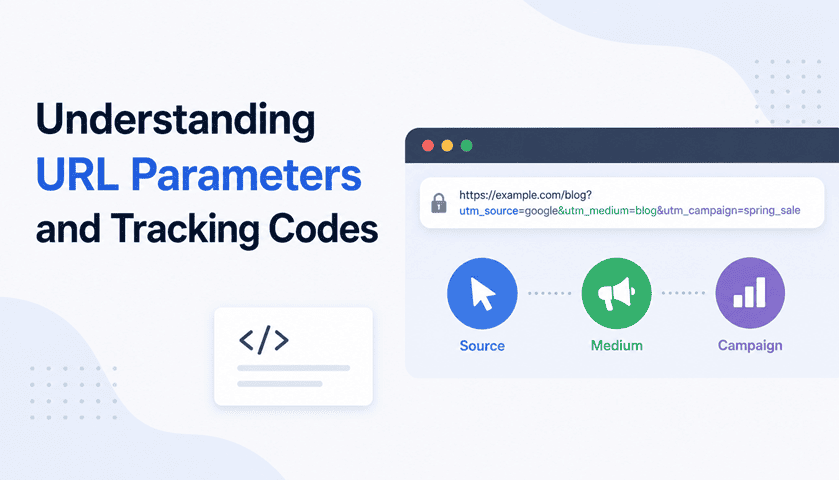
Every time you click a link in an email campaign, a social media post, or an online advertisement, something subtle happens: a string of extra text is appended to the URL. This text – calledURL parametersorquery strings– is the backbone of web analytics, A/B testing, campaign attribution, and personalisation. Understanding how these parameters work is fundamental for developers, marketers, and anyone who wants to understand how the modern web really operates.
This guide breaks down everything: what URL parameters are, the major tracking systems built on top of them, how to read and write them programmatically, and the privacy considerations every responsible practitioner should know.
1. Anatomy of a URL
Before diving into parameters, we need to understand where they live. A URL is composed of several distinct parts:
# Full URL breakdown
scheme :// host / path ? query string # fragment
https://shop.example.com/products?color=red&size=M#reviews| Component | Example | Purpose |
|---|---|---|
| Scheme | https:// |
Protocol used to transfer data |
| Host | shop.example.com |
Domain name or IP address of the server |
| Path | /products |
Specific resource on the server |
| Query String | ?color=red&size=M |
Key-value pairs passed to the server or client |
| Fragment | #reviews |
Client-side anchor; never sent to the server |
The query string begins with a?and contains one or morekey=value pairsseparated by&characters. The fragment (#) is handled entirely by the browser and is never included in HTTP requests – making it a common trick for client-side state management and tracking workarounds.
The order of query parameters generally does not matter to web servers, though some applications may rely on a specific order for caching or signature verification.
2. Query Parameters Explained
Query parameters serve two broad purposes:functionalandinformational. Functional parameters control what the server returns – things like search terms, filter settings, page numbers, and sort orders. Informational parameters carry metadata that doesn’t change the response but is captured for analytics or personalisation.
Functional Parameters
These directly affect the page content or application behaviour:
https://store.com/search?q=running+shoes&page=2&sort=price_asc&min_price=50Here,qdrives the search query,pagecontrols pagination,sortdetermines ordering, andmin_priceapplies a filter. Remove any of these and the user experience changes meaningfully.
Informational / Tracking Parameters
These travel along for the ride without changing the server’s response:
https://store.com/search?q=shoes&utm_source=google&utm_campaign=brand_kwThe server returns the same search results regardless of whether the UTM parameters are present. Their value is captured by analytics scripts running on the page.
Query parameters are the web’s memo field – they carry context forward through every click, even when the destination doesn’t ask for it.
3. UTM Tracking Parameters
UTMstands forUrchin Tracking Module– named after Urchin Software, the web analytics company acquired by Google in 2005 to create Google Analytics. UTM parameters became the universal standard for campaign tracking and remain dominant today.
There are five official UTM parameters:
| Parameter | Required | Description | Example Value |
|---|---|---|---|
utm_source |
Required | Where the traffic originates | google,newsletter,twitter |
utm_medium |
Required | The marketing channel or medium | cpc,email,social |
utm_campaign |
Required | The specific campaign name | summer_sale,product_launch |
utm_content |
Optional | Differentiates ads or links within a campaign (A/B testing) | blue_button,hero_image |
utm_term |
Optional | Paid search keywords | running+shoes,best+laptop |
A Real-World UTM Example
Imagine a retailer sends a promotional email for their summer sale. They might construct the following link:
https://shop.example.com/summer-sale
  ?utm_source=mailchimp
  &utm_medium=email
  &utm_campaign=summer_2026
  &utm_content=hero_cta_button
When a user clicks this link, Google Analytics (or any other analytics tool) captures all four values and associates them with the user’s session. If they later convert, the sale is attributed tomailchimp / email / summer_2026.
UTM values arecase-sensitivein most analytics platforms.Email,email, andEMAILwill be counted as three different sources, fragmenting your data. Establish a naming convention and enforce it across your team.
UTM Best Practices
- Always use lowercase values consistently
- Use underscores instead of spaces or hyphens for readability
- Create a shared UTM naming convention document for your team
- Use a UTM builder tool to reduce human error
- Never use UTM parameters on internal links – it resets the session source
- Document all campaigns in a centralised spreadsheet with their UTM values
4. Other Common Tracking Codes
UTM parameters are not the only tracking system in use. Different platforms have introduced their own proprietary parameters, and many coexist on a single URL.
Facebook / Meta:fbclid
When a user clicks a link shared on Facebook, Meta automatically appendsfbclid(Facebook Click ID) – a long, unique token that Meta uses to match click events to conversions for its ad attribution system. It looks like this:
https://example.com/page?fbclid=IwAR3xQkR7...You have no control over this parameter – Meta inserts it automatically. It should be filtered out of your analytics to avoid polluting your data.
Google Ads:gclid
Google’s equivalent isgclid(Google Click ID). It enablesauto-taggingin Google Ads, allowing conversion data from your website to flow back into the Ads platform without requiring manual UTM setup.
https://example.com/page?gclid=CjwKCAjw5...Microsoft Advertising:msclkid
Microsoft’s Bing Ads usesmsclkidin an identical fashion togclidfor attribution within its advertising ecosystem.
Referral & Affiliate Codes:ref,aff
Many platforms use custom parameters likeref,referral, oraffto track affiliate links and referral programs. These are non-standardised, but common:
https://service.com/signup?ref=johndoe&promo=SAVE20A/B Testing & Feature Flags
Parameters are also used to force specific variants in split tests or enable feature flags in development:
https://app.example.com?variant=B&feature_flag=new_checkout| Parameter | Platform | Purpose |
|---|---|---|
utm_* |
Universal (Google Analytics) | Campaign attribution |
gclid |
Google Ads | Ad click attribution |
fbclid |
Meta / Facebook | Ad click attribution |
msclkid |
Microsoft Advertising | Ad click attribution |
ttclid |
TikTok Ads | Ad click attribution |
ref/aff |
Custom | Referral / affiliate tracking |
_hsenc,_hsmi |
HubSpot | Email tracking |
mc_eid,mc_cid |
Mailchimp | Email campaign tracking |
5. Reading Parameters in Code
As a developer, you’ll regularly need to read URL parameters on both the client and server side. Here’s how to do it effectively.
In JavaScript (Browser)
The modernURLSearchParamsAPI makes parsing query strings clean and straightforward:
// URL: https://example.com/page?utm_source=email&discount=SAVE20
const params = new URLSearchParams(window.location.search);
// Get a single value
params.get('utm_source');    // → "email"
params.get('discount');      // → "SAVE20"
params.get('missing_key');  // → null
// Check if a parameter exists
params.has('discount');  // → true
// Iterate all parameters
params.forEach((value, key) => {
  console.log(`${key} = ${value}`);
});
// Convert to a plain object
const obj = Object.fromEntries(params);
// → { utm_source: "email", discount: "SAVE20" }
Constructing URLs with Parameters
const url = new URL('https://example.com/page');
url.searchParams.set('utm_source', 'newsletter');
url.searchParams.set('utm_campaign', 'launch_2026');
console.log(url.href);
// → "https://example.com/page?utm_source=newsletter&utm_campaign=launch_2026"
In Python (Server-Side)
from urllib.parse import urlparse, parse_qs, urlencode, urljoin
raw_url = "https://example.com/page?utm_source=email&discount=SAVE20&tags=a&tags=b"
parsed  = urlparse(raw_url)
params  = parse_qs(parsed.query)
# parse_qs always returns lists (handles repeated keys)
params['utm_source']  # → ['email']
params['tags']        # → ['a', 'b']
# Get first value safely
source = params.get('utm_source', [None])[0]
In Node.js
const { URL } = require('url');
const url = new URL('https://example.com/page?utm_source=email&discount=SAVE20');
url.searchParams.get('utm_source');  // → "email"
url.searchParams.get('discount');   // → "SAVE20"
6. URL Encoding
URLs can only contain a limited set of characters. Special characters – spaces, ampersands, equals signs, non-ASCII characters – must bepercent-encoded(also called URL encoding). Each unsafe character is replaced by a%followed by its two-digit hexadecimal ASCII code.
| Character | Encoded | Reason |
|---|---|---|
| Space | %20or+ |
Reserved – separates tokens in some contexts |
& |
%26 |
Reserved – separates parameters |
= |
%3D |
Reserved – separates key from value |
+ |
%2B |
Means “space” in query strings |
# |
%23 |
Reserved – begins the fragment |
/ |
%2F |
Reserved – path separator |
é |
%C3%A9 |
Non-ASCII – UTF-8 encoded |
// JavaScript encoding functions
encodeURIComponent('hello world & more');
// → "hello%20world%20%26%20more"
decodeURIComponent('hello%20world%20%26%20more');
// → "hello world & more"
// URLSearchParams handles encoding automatically
const p = new URLSearchParams();
p.set('q', 'café & croissant');
p.toString(); // → "q=caf%C3%A9+%26+croissant"Always useencodeURIComponent()for individual values, notencodeURI(). The latter doesn’t encode&and=, which will break your query string structure.
7. Privacy and Security Implications
URL parameters are a powerful tool, but they carry real privacy and security concerns that every developer and marketer must understand.
URLs Are Logged Everywhere
The full URL – including all query parameters – is written into server access logs, browser history, proxy logs, and referrer headers. When a user navigates from your page to another site, their browser sends the full URL (including tracking parameters) in theRefererheader. This meanssensitive data must never appear in URL parameters.
Passwords, session tokens, API keys, credit card numbers, personal health information, or any other sensitive data. Use POST requests with encrypted body payloads instead.
Referrer Leakage
If your page URL contains UTM parameters or other tracking codes and a user follows an external link, the destination website can see those parameters in theRefererheader. To prevent this, use theReferrer-PolicyHTTP header:
# Recommended policy - strips query string from cross-origin referrers
Referrer-Policy: strict-origin-when-cross-origin
URL Parameter Stripping by Browsers
Privacy-focused browsers and extensions now strip known tracking parameters. Safari’s Intelligent Tracking Prevention (ITP) stripsfbclidand other known trackers. Firefox and Brave have similar features. This is why relying solely on URL-based tracking is increasingly unreliable – server-side tracking and first-party data are becoming essential complements.
Open Redirect Vulnerabilities
A common security vulnerability occurs when an application uses a URL parameter as a redirect destination without validating it:
# Dangerous - allows redirection to any external site
https://example.com/login?redirect=https://evil.com/phishing
# Safer - validate against an allowlist of known paths
https://example.com/login?redirect=%2Fdashboard  # only relative paths
GDPR and Tracking Consent
Under GDPR and similar regulations, using tracking parameters to identify or profile users typically requires explicit consent. If your campaigns usefbclidorgclidfor remarketing, ensure your consent management platform is capturing the appropriate consent signals before these identifiers are processed.
8. Best Practices
For Marketers
- Maintain a shared UTM taxonomy document – agree on naming conventions before the first campaign goes live
- Use a UTM builder spreadsheet or tool (Google’s Campaign URL Builder, Terminus) to generate consistent URLs
- Never use UTM parameters on internal links between pages of your own site
- Test every tracking URL before sending to a large audience
- Audit your analytics regularly for unexpected sources caused by inconsistent UTM values
- Shorten long URLs with a branded link shortener before publishing publicly
For Developers
- Always use
URLSearchParamsor a well-tested library rather than manual string parsing - Validate and sanitise all query parameter values before using them in application logic
- Never pass sensitive data through URL parameters – use encrypted POST bodies or secure cookies
- Implement a strict
Referrer-Policyheader to limit tracking parameter leakage - Validate redirect parameter values against an allowlist to prevent open redirect attacks
- Strip or ignore known third-party tracking parameters (
fbclid,gclid) from your canonical URLs to avoid indexing duplicate content - Use
rel="noopener noreferrer"on outbound links to prevent referrer leakage
Canonical URLs and SEO
Search engines can index multiple versions of the same page if they have different query strings. A product page available at/shoes,/shoes?color=red, and/shoes?sort=pricemight be treated as three separate pages. To avoid diluting your SEO authority, use canonical tags:
<!-- In the <head> of all parameterised variants -->
<link rel="canonical" href="https://example.com/shoes" />
Alternatively, configure your server or CDN to redirect tracking-only parameter combinations back to the clean URL after capturing the session data.
Wrapping Up
URL parameters are deceptively simple – just text after a question mark – yet they underpin nearly every aspect of modern digital marketing, analytics, A/B testing, and web application state. Mastering them means understanding not just the syntax, but the ecosystem of platforms, standards, and privacy considerations built around them.
The key takeaways: use theURLSearchParamsAPI instead of manual parsing, enforce a consistent UTM naming convention across your organisation, keep sensitive data out of URLs entirely, and stay aware of the shifting privacy landscape that is progressively limiting what URL-based tracking can reliably achieve.
As third-party cookies fade and browser tracking protections strengthen, the humble URL parameter – combined with server-side attribution and consented first-party data – remains one of the most durable and transparent tools available. Used carefully, it’s also one of the most honest.